For coaches
Set up your business
Your business details, online payments with Stripe and your availability: the three settings to do first.
Three settings are all you need to take your first bookings. On your Home page, the “Getting started” card opens each step.
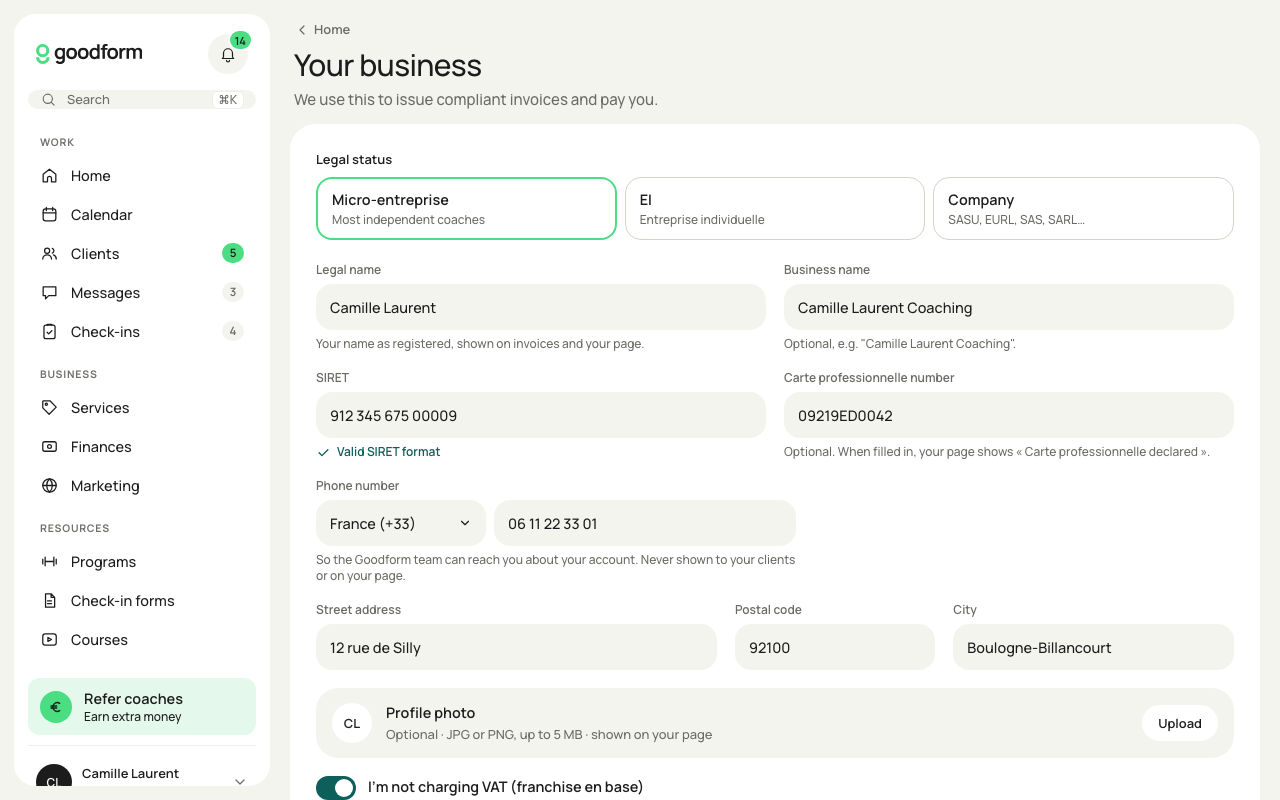
1. Your business
In Settings, open Your business. Enter your legal name, your SIRET and your address: they appear on your invoices and in your page’s legal notice.
Add your specialties too (fitness coaching, nutrition, yoga, pilates…). They show on your page.
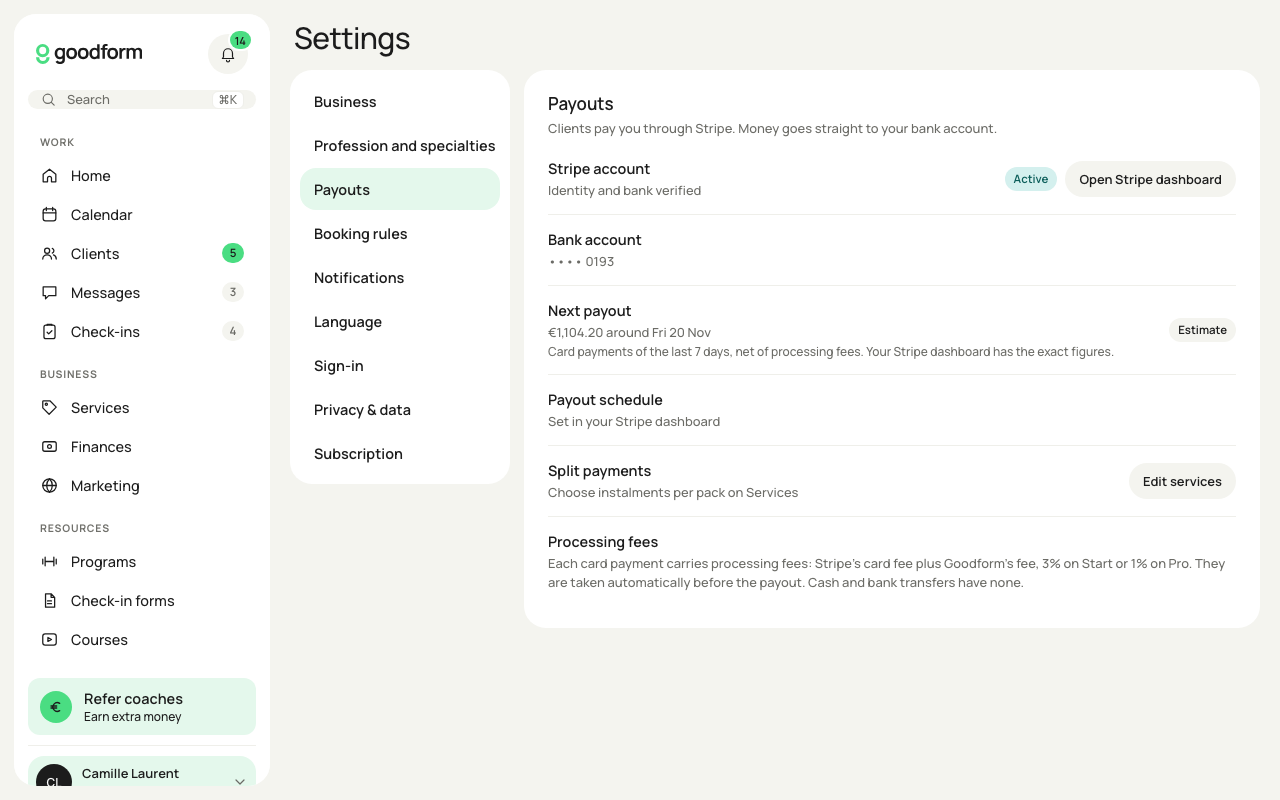
2. Online payments
In Settings, open Payouts and connect your bank with Stripe. Stripe asks who you are and for your IBAN. It takes about 5 minutes.
Once Stripe has checked your account, your clients can pay by card. The money then reaches your bank account.
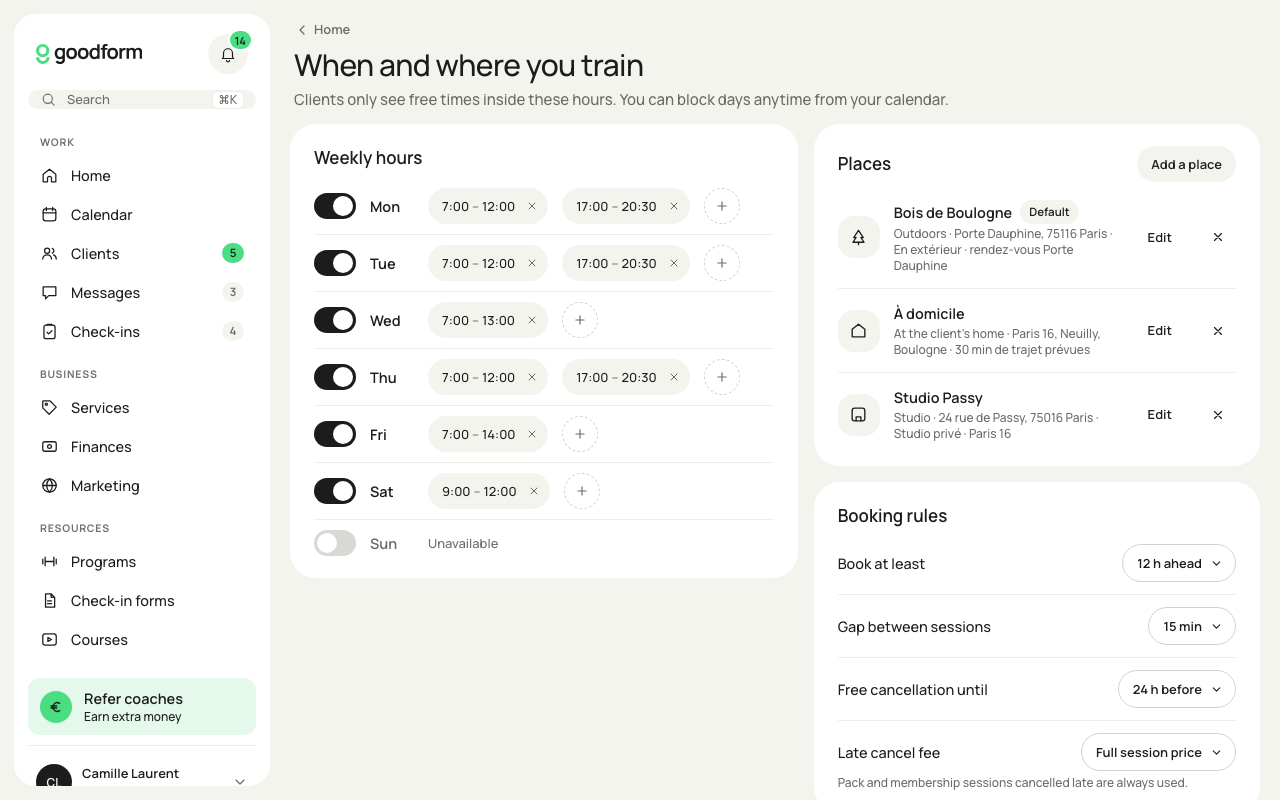
3. Your availability
In Calendar, open Availability. Enter your hours for each day of the week, then your places: a gym, a park, at home or online.
Clients can only book within these hours. You can change them at any time.
Good to know
How late a client can cancel is set in Settings, Booking rules.