For coaches
Your page and your link in bio
Prepare and publish your page, share it on social media and see where your visitors come from.
Your page is your shop window. Visitors find out who you are and what you offer, then book and pay.
Prepare your page
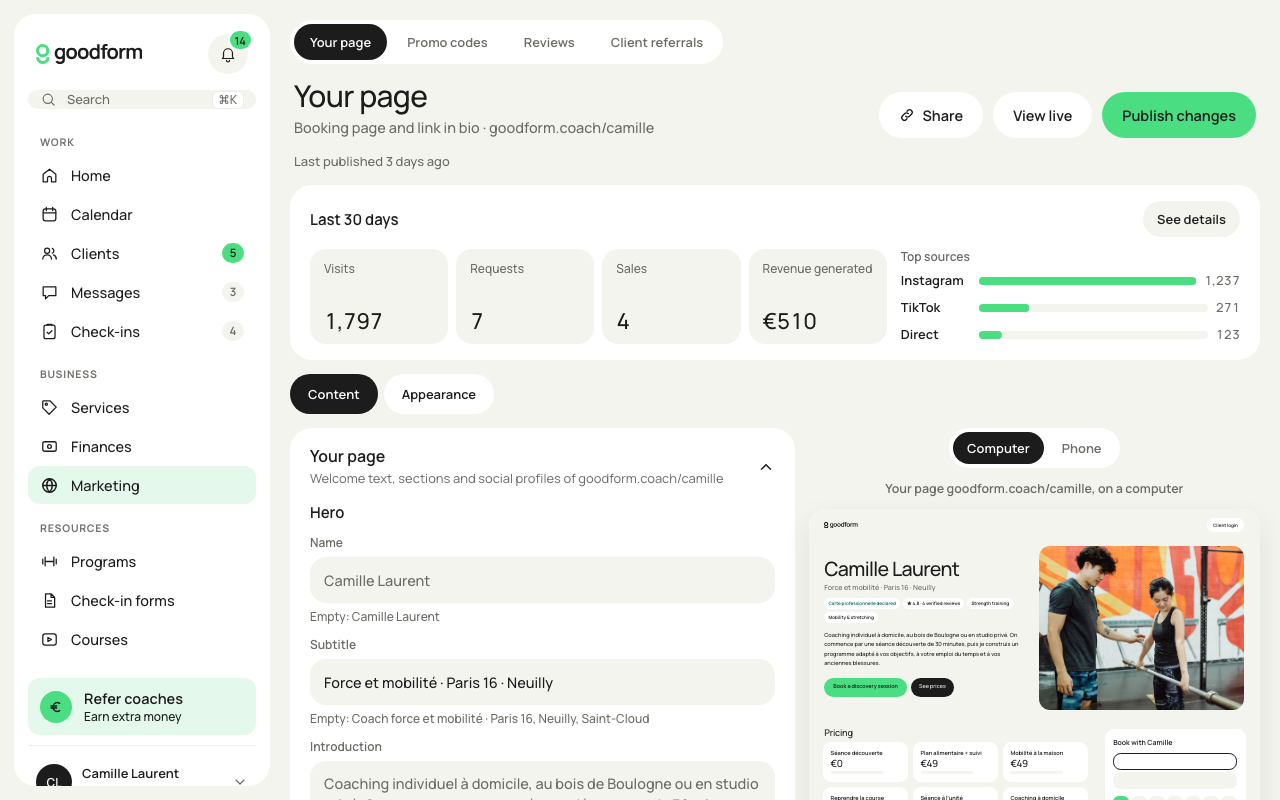
In Marketing, open Your page. In the Content tab, add your photo, one sentence about who you help, and your introduction. In the Appearance tab, pick your colours.
Your services show up on their own: nothing to copy.
Publish
Choose Publish changes: your page is online at once. After each change, publish again to update it.
Your link in bio
The link in bio is a short page made for Instagram, TikTok or YouTube: your buttons, your services, your questionnaire. Set it up in Your page, Link in bio part.
Share
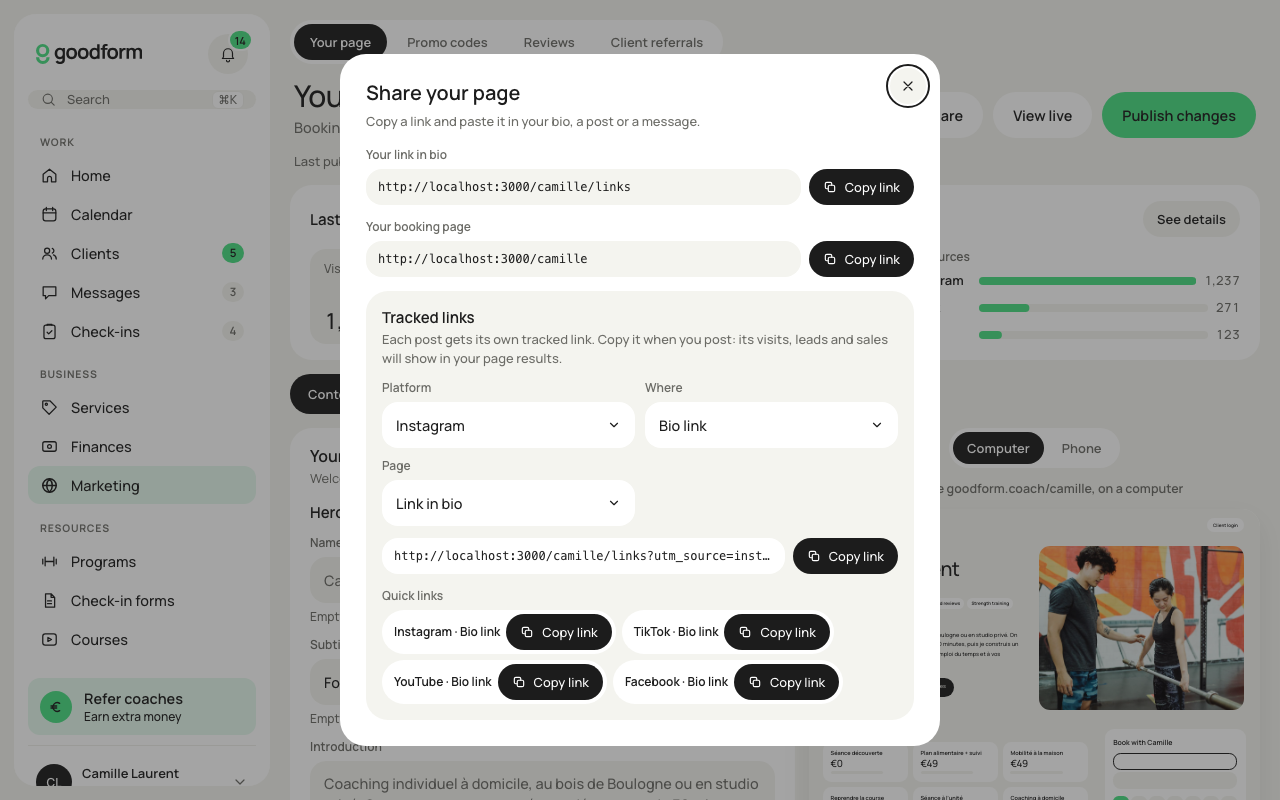
The Share button gives you two links: your booking page and your link in bio. Copy them and paste them in your bio, a post or a message.
See where your visitors come from
At the top of Your page, the results of the last 30 days show your visits, requests and sales. See details sorts them by source: you know which network brings you clients.